Android Accessibility Suite
Screenshots
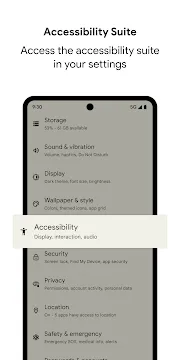
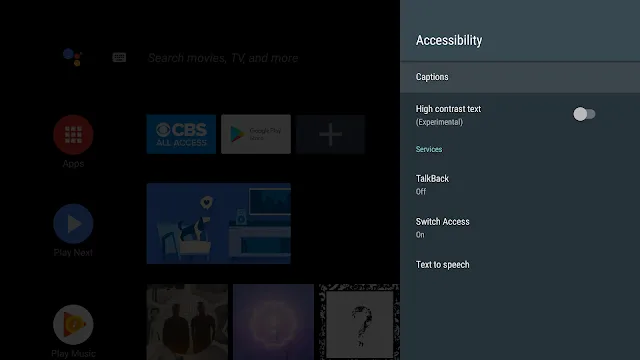
Android Accessibility Suite offers essential tools that help people use their mobile devices more easily. This collection of tools supports users who need assistance with sight, hearing, or physical interaction. Many individuals rely on these utilities to navigate their phones without encountering unnecessary technical barriers.
The package integrates smoothly with the operating system to modify standard user inputs. Users can easily activate these specialized features through their device settings menu at any time. Consequently, the software transforms regular mobile interactions into a much more inclusive experience.
Broadening Smartphone Interaction for Users
Modern smartphones contain complex interfaces that sometimes challenge people with specific physical needs. Therefore, developers created tailored solutions to bridge the gap between human intent and software response. These tools allow everyone to interact with mobile applications without experiencing frustration or fatigue.
In addition, these adjustments expand the ways people control their digital environments every single day. You can adjust text sizes, modify audio outputs, or use external switches seamlessly. This flexibility ensures that every user enjoys equal access to modern communication technologies.
Key Features of Android Accessibility Suite App
The Android Accessibility Suite includes several specialized tools designed for specific user requirements. Each tool addresses a different type of interaction barrier to make mobile navigation smoother. As a result, users can choose the exact features that match their daily personal preferences.
Furthermore, these functions operate quietly in the background without slowing down system performance. They assist millions of people worldwide in reading screens, tapping buttons, and executing complex gestures. Let us explore the core tools included within this helpful software package below.
TalkBack Screen Reader
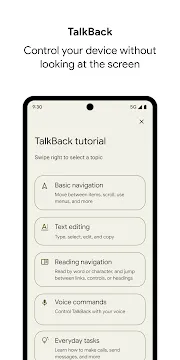
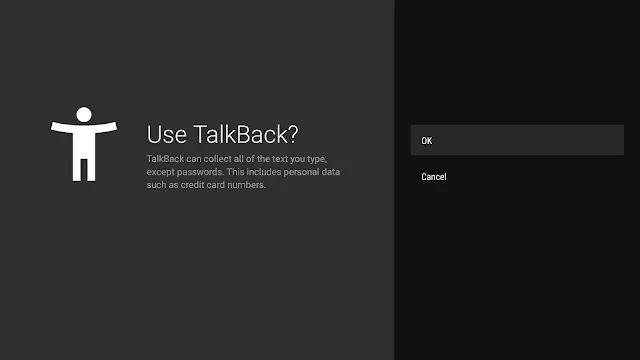
This feature gives spoken feedback so you can use your device without looking at the screen. It describes your actions aloud and alerts you about notifications or system messages instantly. Consequently, individuals with visual impairments can browse apps and websites with complete confidence.
To clarify, you simply swipe or double-tap to move the focus around your mobile display. The system reads the text or button label under your finger in a clear voice. This allows you to type messages, answer calls, and manage settings completely eyes-free.
Select to Speak
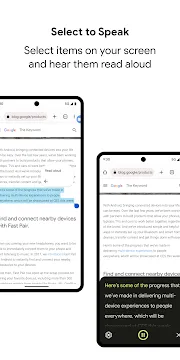
When you want specific text read aloud, this tool provides a highly targeted solution. You can highlight an entire paragraph or just tap a single word on your screen. After that, the device speaks the selected items while highlighting each word in real time.
Moreover, this function works beautifully inside popular web browsers, document viewers, and chat applications. It helps people who experience temporary eye strain or prefer listening over reading long text. You can also adjust the speech playback speed to suit your personal listening comfort.
Switch Access
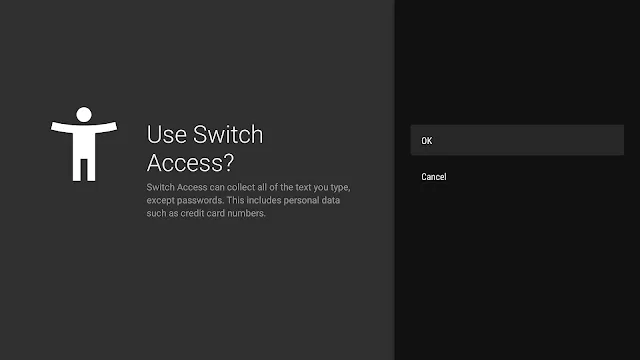
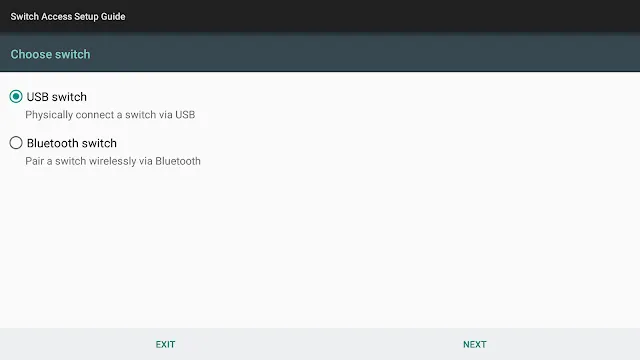
This tool lets you control your smartphone using one or more external hardware switches instead of the touchscreen. You can connect these external switches via a wireless Bluetooth connection or a standard USB cable. Then, the switches allow you to select items, scroll through lists, and type text easily.
This feature particularly supports individuals with limited motor skills or physical dexterity challenges. The system scans the items on your screen sequentially until you press your switch to select one. That is to say, it replaces traditional finger gestures with simple, accessible button presses.
Accessibility Menu
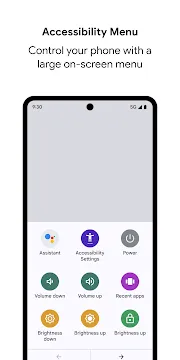
This option displays a large on-screen menu to control your device through simple icons. Users can lock the phone, control volume, and adjust brightness without pressing hard physical buttons. This menu helps people who find small system sliders or hardware buttons difficult to use.
In other words, it consolidates common phone actions into one safe, easily reachable location. You can trigger screenshots or open recent applications with a single, gentle tap. This menu dramatically reduces the physical effort required for everyday smartphone management.
Camera Switches
This innovative option transforms your front-facing camera into a highly responsive motion sensor. It translates your facial expressions into specific navigation commands on your smartphone screen. For instance, you can open your mouth or look left to scroll down a page.
This advanced system gives users a completely hands-free method to interact with their devices. It offers multiple customization settings so you can adjust gesture sensitivity precisely. Therefore, you can navigate your phone comfortably without using physical touch or voice control.
Sound Amplifier
This tool filters and augments the sounds around you using your connected headphones. It carries out dynamic audio processing to isolate human speech from distracting background noise. Consequently, users with mild hearing difficulties can follow conversations in noisy environments much better.
You can easily adjust the sound tuning sliders to optimize frequencies for your unique ears. The utility enables you to hear quiet television audio or distant lectures with supreme clarity. This adjustment dramatically improves your daily conversational awareness without requiring expensive specialized hardware.
Enhancing Daily Mobile Navigation Options
Customizing your mobile interface improves your speed and reduces mistakes during regular daily use. Many individuals discover that adjusting their interaction settings prevents unnecessary hand fatigue. In addition, clear audio cues help users stay informed without constantly staring at bright displays.
These digital modifications create a highly personalized environment for work, study, and casual browsing. You can fine-tune every response mechanism to match your exact physical comfort level perfectly. Consequently, technology becomes a helpful companion rather than a source of continuous physical strain.
How to Download and Install Android Accessibility Suite APK
Obtaining this utility through a direct file download allows you to update your system tools manually at any time. This method ensures you receive the latest software improvements before they arrive via standard system updates. Click the download button on our trusted platform to safely save the installation package onto your smartphone storage.
- Firstly, open your device settings and enable installations from unknown sources in the security menu.
- Secondly, locate the downloaded file inside your storage using any standard file manager application.
- Next, tap the file to start the installation process on your device.
- Then, approve the requested system permissions to allow the tools to function correctly.
- Finally, open your accessibility settings to find and activate the newly installed features.
Android Accessibility Suite Tips and Tricks
- Assign a dedicated accessibility shortcut: You can press both volume keys simultaneously to launch your preferred feature instantly. This saves significant time because you avoid digging through long settings menus.
- Customize the text-to-speech engine settings: Go to the audio options to alter the speech rate and voice pitch. This modification makes spoken descriptions much easier to understand during long reading sessions.
- Utilize the item description shortcut in TalkBack: You can tap an unfamiliar icon once to hear its exact function before opening it. This trick prevents accidental clicks on web pages or apps.
- Combine switch access with facial gestures: Use your camera switches alongside hardware buttons to create a highly efficient dual-control setup. This combination expands your navigation options without increasing physical effort.
- Adjust screen dimming settings for better visibility: Use high contrast text modifications to make words pop against dark backgrounds. This adjustment drastically reduces eye strain when reading text at night.
- Create custom gestures for common tasks: Map specific finger swipes to perform complex actions like opening notifications or locking screens. This shortcut optimizes your workflow during busy work hours.
Supporting Diverse User Requirements Efficiently
Software developers continue to refine these system utilities to meet changing global demands. They regularly gather feedback from actual users to fix bugs and improve response times. As a result, the tool kit evolves into a much more reliable solution over time.
Above all, inclusive software design ensures that digital communication remains open to every single human being. No one should feel left behind due to a rigid or unyielding user interface design. This powerful suite guarantees that your mobile phone adapts to your life, not the other way around.
Conclusion
In conclusion, providing equitable access to mobile features represents a massive step forward for inclusive technology design. This collection of tools removes barriers and empowers individuals to utilize their devices with absolute freedom. It changes how people read messages, navigate web pages, and manage daily digital tasks.
To sum up, installing this software pack enhances your daily mobile experience through smart, specialized features. Whether you need text read aloud or hands-free controls, this solution meets your demands perfectly. Take control of your smartphone today by activating these incredibly helpful built-in system tools.